H5Game.Life field guide
Memory Match Guide
Our July 30 Chrome launch check reached Level 1, Part 1/2 instead of stopping at the title screen.
Play Memory MatchHow the game works
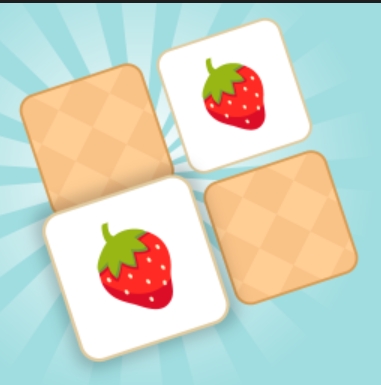
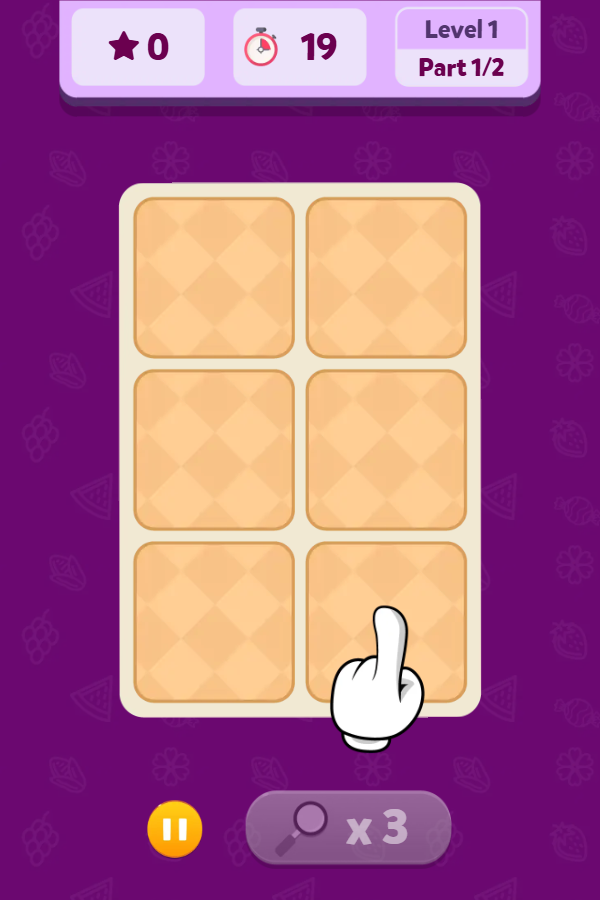
Our July 30 Chrome launch check reached Level 1, Part 1/2 instead of stopping at the title screen. The first board showed six face-down cards in a two-column layout, a score of zero, a 19-second timer, a pause control, and three available hints. The menu also exposed separate Level 1, Time Attack, and Relaxing modes, so the time pressure is a mode choice rather than a universal rule.
Controls
Choose Level 1, Time Attack, or Relaxing from the opening menu. In a level, tap one face-down card and then a second card; a matching pair stays cleared, while a mismatch turns back over.
Practical tips
- On the six-card opening board, remember positions as top, middle, or bottom plus left or right.
- Turn the second card only after naming the first image; that reduces position mix-ups when a mismatch flips back.
- Use Relaxing mode to learn the image set before treating the timer or score as the main objective.
Before you start
Checked in Google Chrome 150 at a 600 × 900 portrait viewport. The automated check selected Level 1 only after confirming that the self-hosted start screen contained no advertising overlay.
Real browser check
- Checked
- July 30, 2026
- Browser
- Google Chrome 150.0.7871.187
- Viewport
- 600 × 900
- Scope
- Launch/render check only; not represented as a full gameplay review.
Why this game is in the edited collection
Selected after the browser check reached a playable board and exposed verifiable card count, timer, score, hint, pause, level-part, and mode information.