H5Game.Life field guide
One Connect Guide
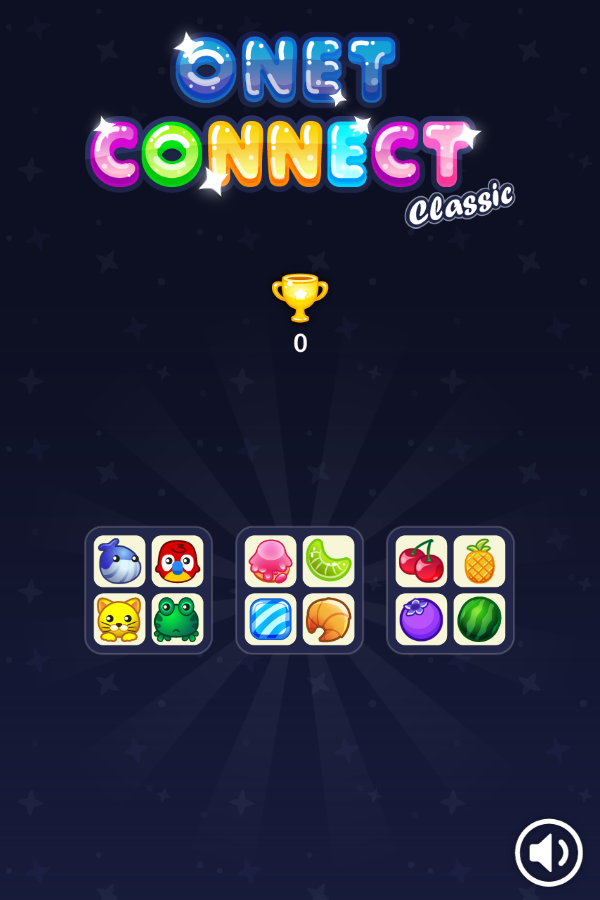
One Connect opened to a board made of three separate four-tile groups.
Play One ConnectHow the game works
One Connect opened to a board made of three separate four-tile groups. The left group contained animal faces, the middle group mixed sweets and a croissant, and the right group contained fruit. A trophy counter started at zero and a sound toggle remained available. The board therefore asks for visual pairing or linking across compact groups, with category boundaries providing a practical way to scan instead of testing every tile.
Controls
Press the large Play button, then inspect the three four-tile groups. Select matching or connectable picture tiles according to the board's link rule until the groups are cleared.
Practical tips
- Scan one four-tile group at a time before comparing pictures across the whole board.
- Use distinctive silhouettes such as the pineapple or croissant as anchors.
- After clearing a pair, rescan the spaces around it because a new connection route may be available.
Before you start
Checked in Google Chrome 150 at 600 × 900. A deliberate click on the large Play button opened the tile board; no further automated matching was performed.
Real browser check
- Checked
- July 30, 2026
- Browser
- Google Chrome 150.0.7871.187
- Viewport
- 600 × 900
- Scope
- Launch/render check only; not represented as a full gameplay review.
Why this game is in the edited collection
Selected because the browser check reached a non-empty puzzle board with twelve identifiable tiles, three visual groups, a trophy count, and sound control.